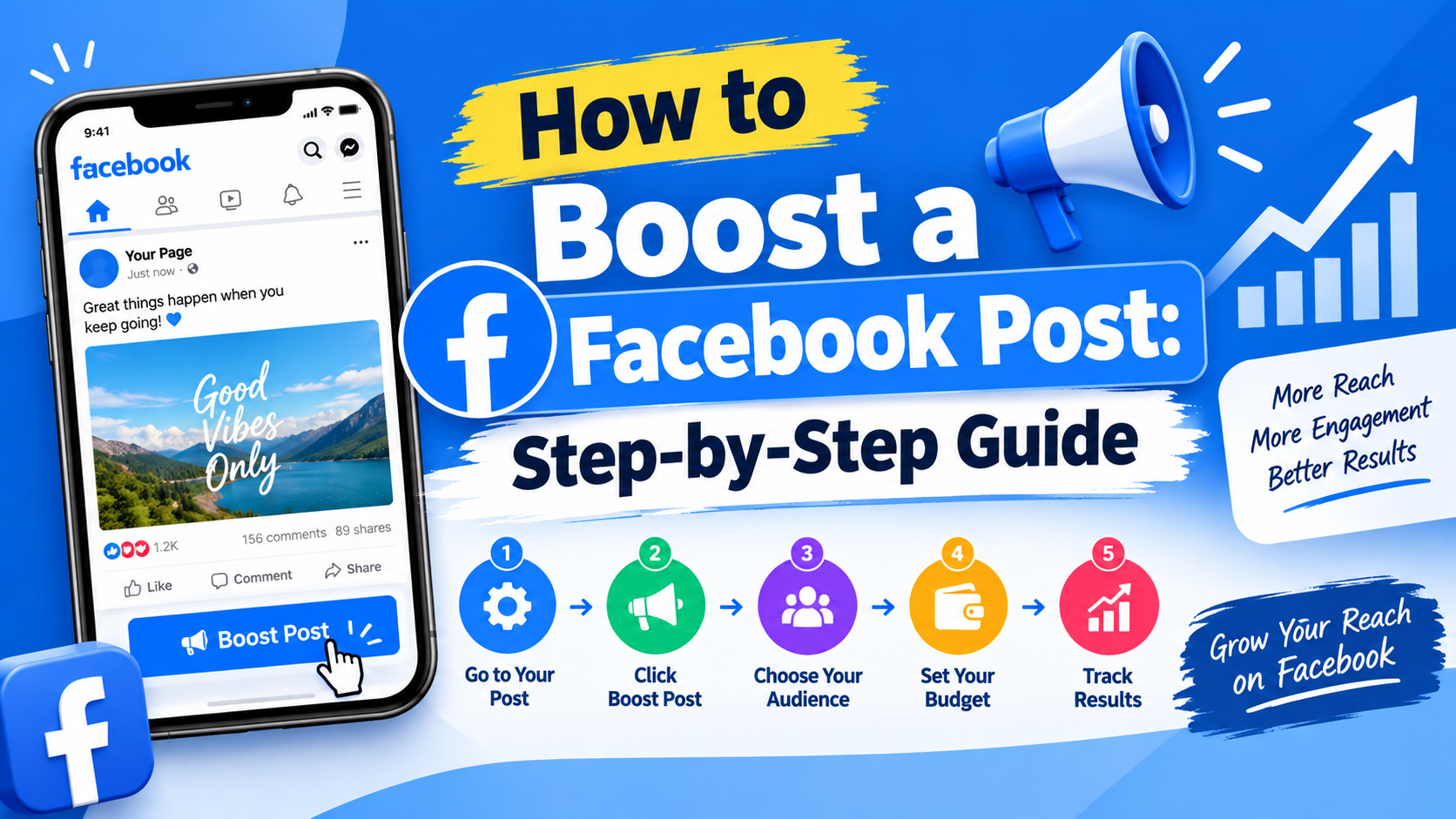
How to Boost a Facebook Post: Step-by-Step Guide
You wrote a decent post. Clear photo, honest caption, a real offer. Then forty-something people saw it and two of them were your cousins.
Normal. Frustrating, but normal.
So if you're trying to figure out how to boost a Facebook post without burning cash, the short version is simple: open the post on your Facebook Page, tap Boost Post, pick a goal, choose who should see it, set a peso budget and a number of days, then publish. Meta reviews it. Delivery starts, usually within the hour.
That's the mechanic. Doing it well is a separate skill though — and honestly that's where most Filipino sellers lose money. Because paying Meta and paying Meta usefully are two very different things.
Quick answer: To boost a Facebook post, open the post on your Facebook Page or inside Meta Business Suite, click Boost Post, choose your advertising objective, define your target audience, set a daily budget and duration, select your ad placement, then review and publish. Most boosts clear review quickly and start delivering the same day.
Worth knowing before you spend anything: Facebook's ad reach in the Philippines was equivalent to about 81.9% of the total population at the end of 2025, according to DataReportal's Digital 2026 Philippines report. Your buyers are already there. The question is only whether your post reaches the right slice of them.
What Does It Mean to Boost a Facebook Post?
Boosting turns an existing organic Facebook post into a paid Facebook post. Nothing about the post itself changes — same caption, same photo, same comment thread. Meta simply shows it to far more people than your organic reach would ever deliver on its own. You pay for that extra distribution, and only for that.
Think of it as renting attention. Your Facebook Page followers already see a fraction of what you publish. So a boosted post buys visibility you technically earned but can't unlock for free. The Boost Post button sits right under the post — one click and you're inside a stripped-down ad builder, no campaign structure or ad set layers involved.
Why Boost a Facebook Post?
Reach on business Pages has been squeezed for years. Meta prioritises posts from friends and family. So a Page update fights uphill from the second it's published. Facebook advertising — specifically Facebook paid promotion — is how you get back in front of the people who already follow you, plus plenty who don't yet.
For small Philippine businesses, the appeal is speed. You can turn a slow Tuesday into a busy one by putting ₱300 behind a post about your afternoon promo. No agency, no retainer, no waiting. That flexibility is why Facebook post promotion stays popular with sari-sari sellers, online resellers and service providers alike.
Increase Your Facebook Post Reach
Facebook post reach is the number of unique people who saw your content. Boosting lifts that number directly, because Meta is now paying attention to your post instead of quietly burying it. More eyes, faster — that's the whole trade.
Reach New Potential Customers
Your followers already know you. A boost pushes past them into a cold audience — people who match your audience demographics and audience interests but have never heard your brand name. That's how a Page grows beyond friends, family and repeat buyers.
Increase Engagement and Brand Awareness
More reach usually means more reactions, comments and shares. Those signals build social proof, which makes the next person more likely to trust you. Brand awareness compounds quietly like this — someone sees you three times before they ever message you.
Promote Important Announcements and Offers
Got a price drop, a new branch, a holiday schedule change? Boost it. Time-sensitive news is exactly what Facebook post advertising handles well, because you can run it for three days, spend a fixed amount, then stop the moment the announcement stops mattering.
Before You Boost a Facebook Post
Here's the part people skip. They see the blue button, they press it, they pick "everyone in the Philippines" and then they wonder why ₱1,000 bought nothing but tag-a-friend spam and a few laughing reactions. Prep work matters far more than the boost settings ever will.
So before you learn how to boost a Facebook post properly, sort out four things: which post deserves money, what you actually want back, who should see it, and what you want them to do next. Ten minutes of thinking here saves you a week of confused reporting later.
Choose a Post With Strong Organic Engagement
Boost what's already working. If a post pulled decent organic engagement in its first few hours, Meta's ad delivery system has proof people like it. Spending on a flat post just buys wider exposure for something nobody wanted in the first place.
Set a Clear Goal for Your Boost
Pick one campaign objective and commit. Messages, website visits, Page likes, calls — each one changes how Meta optimises delivery. Vague goals produce vague results — and you end up defending a boost you can't measure against anything meaningful.
Define Your Target Audience
Decide who you're paying to reach. Location, age range, interests — even a rough Facebook target audience beats none. A Manila-only bakery has no business paying for impressions in Davao unless it ships nationwide. Most don't.
Prepare a Strong Call to Action
Tell people the next step in plain words. "Message us for the price list." "Order until 5PM." A clear CTA turns passive scrollers into replies. It also gives you something concrete to count when the boost finishes.
How to Boost a Facebook Post
Right, the actual walkthrough. You can do this from the Facebook app on your phone, from desktop, or from Meta Business Suite — the steps barely differ. Business Suite gives slightly more control. Use it if you already have it open.
One caution before you start: make sure you're posting as your Page, not your personal profile. Personal posts can't be boosted. It sounds obvious until you've spent five minutes hunting for a Boost Post button that was never going to appear.
Step 1: Choose the Facebook Post You Want to Boost
Open your Page, scroll to the post, tap Boost Post beneath it. If the button's greyed out, the post likely breaks a policy rule or contains too much text overlay on the image. Fix that first, then retry.
Step 2: Select Your Advertising Goal
Meta asks what result you want — more messages, website visitors, calls, leads, Page likes or plain boost post engagement. Choose the one closest to money. Engagement looks nice on a screenshot but messages actually turn into sales for most Philippine sellers.
Step 3: Define Your Target Audience
You'll pick between people who like your Page, people similar to them, or a custom set you build by location, age, gender and interests. Saved audiences carry over to future boosts. So build one properly once and reuse it.
Step 4: Set Your Budget and Duration
Enter a daily budget or a lifetime budget plus how many days it runs. Meta shows an estimated reach range as you slide the numbers. Start modest — you're buying information first, results second — and information is cheap at ₱200.
Step 5: Choose Your Ad Placement
Advantage+ placements is the default, letting Meta spread delivery across Facebook, Instagram and Messenger wherever it finds cheaper results. You can switch to manual and restrict it, though narrowing placements usually raises your cost per result rather than lowering it.
Step 6: Review and Publish Your Boosted Post
Check the preview, confirm your payment method, hit publish. Meta reviews the boost against its advertising policies before delivery starts. If it's rejected, edit the copy or creative and resubmit — rejections are common and rarely permanent.
Which Facebook Posts Should You Boost?
Not everything on your Page deserves budget. That's the honest answer nobody really likes hearing. A boost only amplifies whatever's already sitting there — so if the post is weak, all you've done is pay Meta to show more people something weak.
Knowing how to boost a Facebook post is only half the job. Knowing which post to put money behind is the other half. That's the half separating a ₱500 spend that fills your inbox with orders from one that fills your notifications with nothing useful at all.
Boost Posts That Already Perform Well
Look for posts with above-average shares and saves. Those two signals mean people found the content worth keeping or passing on. Meta reads that as quality. Quality content generally earns a lower cost per result when you put money behind it.
Boost Product and Service Promotions
Product posts with a clear price and a visible next step convert well. Show the item, state the peso amount, say how to order. Vague "DM for price" posts still work in the Philippines. But they leak buyers who won't message twice.
Boost Important Business Announcements
New branch, new hours, new payment option, typhoon closure. Practical updates deserve reach because they prevent confused customers. Run them short — three days is usually plenty, since the news stops being news quickly.
Boost Educational and Valuable Content
How-to posts, comparison guides, honest tips. This content builds trust before the sale and tends to earn cheaper engagement, because people share things that make them look helpful. It also keeps your Page from reading like a permanent advertisement.
Avoid Boosting Posts With Low Engagement
If a post got almost nothing organically, leave it alone. There's no rescue mission here. Rewrite it, reshoot the photo, post it again fresh — then boost the version people actually respond to.
Best Practices for Boosting Facebook Posts
Boosting rewards patience more than budget. The sellers who do well tend to run small, run often and change one variable at a time. The ones who struggle dump ₱5,000 into a single post and treat the result as destiny.
A few habits do most of the heavy lifting here. None of them are complicated. They're just the things that get skipped when you're busy running an actual business, which is fair enough — but they're also the reason how to boost a Facebook post feels like guesswork for so many people.
- Boost proven content, never untested content
- Keep audiences tight enough to be relevant, wide enough to deliver
- Cap spend and duration before you launch, not after
- Refresh creative before the same audience sees it too often
- Check results at 48 hours, not at the end
Start With Your Best-Performing Content
Sort your Page posts by reach or engagement, pick the top performer from the last month, boost that. You're stacking a paid advantage on top of real organic engagement rather than hoping paid distribution rescues a weak idea.
Keep Your Target Audience Relevant
Facebook audience targeting works best when it's specific. A 25km radius around your store, an age band that matches your real buyers, two or three genuine interests. Broad targeting is fine for large budgets — most local businesses don't have one.
Set a Specific Budget and Time Limit
Decide the total before you open the boost screen. ₱150 a day for four days is a decision. "I'll just leave it running" is how a Facebook boost budget quietly becomes a subscription you forgot you signed up for.
Use High-Quality Images and Videos
Blurry photos cost you money, literally — weak creative earns fewer clicks. So Meta charges more to deliver it. Shoot in daylight, keep text on images minimal, use vertical video where you can. Reels-style content travels furthest right now.
Include a Clear Call to Action
One instruction per post. Message, order, visit, call — pick one. Two competing calls to action split attention and both underperform, which shows up later as a click-through rate you can't explain.
Monitor Your Boosted Post Performance
Open the boost's results after a day or two and look at cost per result, not total reach. Reach makes you feel good. Cost per result tells you whether to keep spending or shut it down and try something else.
When Is the Best Time to Boost a Facebook Post?
Timing gets treated like astrology in most marketing advice. It isn't that mystical. There's a practical logic underneath it: you want to boost while the post still carries momentum, and while the people you're paying to reach are actually awake and scrolling.
Filipino social usage skews heavily toward evenings and commute hours. So a boost that starts at 2AM wastes its first slice of budget on an empty feed. Meta will smooth delivery across the day, sure — but the early hours still matter more than people assume.
Let Organic Engagement Guide Your Timing
Give a new post a couple of hours to breathe. Roughly the two-to-six hour window is where you can tell whether people care. Strong early engagement rate? Boost it. Flat? Save your money for the next one.
Boost Posts Before Interest Declines
A post's natural lifespan is short. Once organic reach flattens — usually within a day or two — boosting revives it. But you're pushing a heavier rock uphill. Catching it while it's still climbing is cheaper and simpler.
Consider Weekday and Weekend Behavior
Weekday evenings suit service businesses and B2B offers. Weekends suit food, retail, travel and anything impulse-driven. Payday weeks — the 15th and the 30th — reliably shift buying behaviour across the Philippines. So plan bigger boosts around them.
Time Boosts Around Events and Product Launches
Start two or three days before the event, not the morning of. People need a beat to decide, message a friend, check their schedule. Launch-day-only boosts capture the ready buyers and miss everyone who needed a nudge first.
Test Different Posting and Boosting Times
Run the same offer at two different start times across two weeks. Compare cost per result. It's slow, unglamorous testing — and it's the only way to learn your specific audience's rhythm instead of copying someone else's.
How Much Does It Cost to Boost a Facebook Post?
There's no fixed price tag. You set the budget and Meta spends it. How far that money stretches depends on your audience size, how many advertisers are bidding for the same eyeballs, and how much people actually like your creative. Two identical budgets can produce wildly different results.
What you can control is the ceiling. Meta's stated minimum for impression-optimised delivery is around $1 per day, with roughly $5 per day for click or conversion goals — so how to boost a Facebook post on a small budget is genuinely possible. Whether it's worth it at that level is a different question.
How Facebook Boost Post Budgets Work
You choose a daily ad budget or a total for the run. Meta paces spending to hit that ceiling without exceeding it, then bills you as delivery happens. Billing is typically in your account currency — many Philippine advertisers are billed in USD, which adds a conversion wrinkle.
How Much Should You Spend on a Boosted Post?
Enough to gather signal, not enough to hurt if it flops. For most small Philippine businesses that's roughly ₱200 to ₱500 across three or four days per test. Scale only after one boost proves it can produce results consistently.
Is $10 a Day Enough for a Facebook Boost?
Around ₱550 a day is a real budget for a local business. It's plenty for a tight radius and a specific audience. It's thin if you're targeting all of Metro Manila with a broad interest set — the money spreads too far to teach you anything.
How Long Should You Run a Boosted Post?
Three to seven days suits most boosts. Shorter and Meta's delivery system barely learns; longer and the same people start seeing your post repeatedly, which triggers ad fatigue and pushes your cost per click up without adding new reach.
Facebook Boosted Posts vs Meta Ads
This is the fork in the road every growing Page eventually reaches. Boosting is fast, cheap to start and forgiving of mistakes. Meta Ads through Ads Manager takes longer to learn but hands you far more precision. At some point that precision is worth the extra hassle.
Neither one is objectively better. They're simply built for different jobs, at different stages of a business. Hootsuite's comparison of boosted posts versus ads puts it plainly enough: boosts trade control for simplicity, while full campaigns trade simplicity for control and reporting depth.
- Boosted post: limited objectives, basic targeting, feed-first placements, one-click setup
- Meta Ads Manager: full objective list, custom and lookalike audiences, all placements, A/B testing, detailed reporting
What Is a Facebook Boosted Post?
A promoted post created from content already published on your Page, using a simplified builder. It reaches more people, collects engagement in the same comment thread, and requires almost no technical knowledge to launch.
What Are Meta Ads?
Ads built inside Meta Ads Manager from scratch, with full control over campaign structure, budgets, audiences and creative. They can run objectives boosting never offers — catalogue sales, app installs, conversion tracking against your website.
Key Differences Between Boosted Posts and Meta Ads
Boosts optimise mostly for engagement and simple actions. Campaigns optimise for outcomes you define, using custom audiences, lookalike audiences and retargeting. You also get proper reporting instead of a single results number.
When Should You Boost a Post?
Boost when speed matters and the goal is visibility, replies or awareness. Flash sale tonight, event this weekend, announcement that needs eyes today. Low stakes, quick decision, small spend — that's boost territory.
When Should You Use Meta Ads Manager?
Move to Ads Manager once you're spending consistently, selling through a website, or need to retarget people who already visited. Meta suggests an ad set needs roughly 50 optimisation events weekly to leave the learning phase — boosts rarely get there.
Common Facebook Post Boosting Mistakes
Most wasted boost budget traces back to a handful of repeated errors. Not exotic ones either, and not technical ones. The same five or six slips, made over and over, across thousands of Philippine Pages every month. Learning how to boost a Facebook post includes learning what not to do.
Fixing them costs you nothing at all. It's mostly about slowing down for one minute before you press publish — checking the goal, checking the audience, confirming the end date. Boring discipline beats clever tactics here almost every single time, which isn't the exciting answer anyone wants.
Boosting Posts Without a Clear Goal
If you can't name the result you want, Meta can't optimise for it. You'll get whatever's cheapest to deliver, usually reactions from people who'll never buy. Decide the outcome first, then choose the matching objective.
Targeting an Audience That Is Too Broad
"Philippines, 18-65, all interests" sounds generous. It's actually expensive, because you're competing for impressions against every advertiser in the country. Narrow the radius, tighten the age band. Your peso buys more relevant attention.
Running a Boost for Too Long
Two-week boosts on one creative burn out. Frequency climbs, people scroll past on sight. And you keep paying for impressions that stopped working days ago. Set an end date and honour it.
Boosting Poorly Performing Content
Paid reach can't fix weak creative. If the caption is confusing or the photo is dark, more people simply see a confusing, dark post — at your expense. Rewrite it first. Boost the better version second.
Failing to Track Campaign Performance
Launching and never checking back is the most common mistake of all. Without reviewing ad performance, you repeat the same spend next month with no idea whether it ever worked. Five minutes of review beats another blind boost.
Using the Same Audience for Every Boost
Reusing one saved audience endlessly means the same people see everything you publish. Build two or three — buyers, warm followers, cold prospects — and match the audience to the post instead of defaulting.
How to Automate Facebook Post Boosting
Automation sounds enterprise-level but it really isn't. Meta's own tools and third-party schedulers both let you set simple rules that promote content on your behalf — no sitting there refreshing engagement counters at 11PM, waiting to decide whether a post has earned its budget.
The value is consistency. A Page that boosts its best post every week beats one that boosts sporadically when someone remembers. If you're running multiple Pages or a reseller operation, some kind of Facebook post promotion strategy on autopilot stops being optional fairly quickly.
Automatically Boost High-Performing Posts
Set a rule that promotes any post crossing an engagement threshold. Meta Business Suite and several scheduling tools support this. Your winners get budget automatically while your quieter posts stay organic, which is exactly the right split.
Boost Posts Based on Engagement
Trigger boosts on specific signals — a certain number of comments, shares or link clicks within a set window. That way you're never guessing whether a post earned promotion. The audience already voted.
Promote Important Facebook Announcements
Schedule boosts alongside scheduled posts for known dates: sale launches, holiday hours, anniversary promos. Set it once when you plan the calendar, then forget it. One less thing to remember during a busy week.
Use Custom and Lookalike Audiences
Upload your buyer list to build a customer audience, then let Meta generate a lookalike from it. These usually outperform interest targeting because they're built on real purchase behaviour, not guesses about what people might like.
Automate Facebook and Instagram Post Promotion
Cross-posting to Instagram and promoting both at once widens reach for the same setup effort — worth knowing which platforms Filipino buyers actually use first. Check the creative suits both feeds though; wide images crop badly vertically.
How to Measure Facebook Boost Post Performance
Measurement is where boosting either becomes a repeatable skill or stays a lottery ticket. The numbers sit right there in your Page insights and the boost results panel, free and waiting. Most people just never open them, then quietly conclude paid reach doesn't work.
You don't need a fancy dashboard for any of this. Four figures tell you nearly everything about how to boost a Facebook post more effectively next time: reach, engagement, cost per result, and the gap between what the post earned paid versus what it earned free.
Track Reach and Impressions
Reach counts unique people. Impressions count total views, including repeats. When impressions climb far faster than reach, your frequency is high and the same audience is seeing you too often — time to refresh or stop.
Monitor Engagement and Clicks
Look at reactions, comments, shares, saves and link clicks together. Shares and saves matter most. They signal genuine value. They also extend reach for free beyond whatever you paid Meta to deliver.
Measure Cost Per Result
Divide spend by the outcome you chose. ₱12 per message is a number you can act on. Total spend alone tells you nothing. Reach alone flatters campaigns that never produced a single enquiry.
Compare Organic and Paid Performance
Check what the post earned before the boost against what it earned after. That gap is the real return on your spend. If paid barely moved the needle, the content or the audience needs work — not the budget.
Optimize Future Facebook Boosts
Write down what you spent, who you targeted and what it produced. Three or four boosts in, patterns appear. That simple record is more useful than any generic benchmark you'll read online, including the ones here.
Frequently Asked Questions About Facebook Boosting
Quick answers to the questions Philippine Page owners ask most often. A few overlap with points made earlier, which is deliberate — these are the exact things people search for on their own, usually about ten minutes before they commit any real budget.
Short version if you're skimming: boosting works when the content is genuinely good and the audience is tight. It fails when either of those is missing. No budget size fixes that, which is the bit most people end up learning the expensive way.
Is It Worth Boosting a Facebook Post?
Usually yes, if the post already earned organic engagement and you have a defined audience. It's poor value for untested content or vague goals. Treat it as amplification for something proven, never as a rescue for something weak.
Can You Boost Any Facebook Post?
No. Only Page posts qualify. They must also follow Meta's advertising policies. Posts with excessive image text, restricted products, or misleading claims get rejected. Personal profile posts can't be boosted at all.
Is It Better to Boost a Post or Create an Ad?
Boost for speed, engagement and simple local goals. Build a proper ad when you need conversion tracking, retargeting or custom audiences. Most Philippine businesses start with boosts and graduate to Ads Manager as spending grows.
How Much Does It Cost to Boost a Facebook Post?
You set it. Meta's minimums start around $1 daily for impression goals. Practical testing budgets for local businesses sit around ₱200 to ₱500 across a few days, then scale once results prove consistent.
How Long Should You Boost a Facebook Post?
Three to seven days works for most goals. Shorter gives Meta too little data. Longer risks ad fatigue, where frequency rises, engagement drops and your cost per result quietly climbs without you noticing.
What Is the Best Time to Boost a Facebook Post?
Two to six hours after publishing, once organic signals show promise. Align the run with Philippine evening scrolling hours and payday weeks around the 15th and 30th for anything purchase-related.
Does Boosting a Facebook Post Increase Sales?
Sometimes, indirectly. Boosting increases visibility — it doesn't create demand. Sales follow when the offer is clear, the price is visible and the next step is easy. Weak offers just reach more people who don't buy.
Key Takeaways
- Boosting promotes an existing Page post to a wider audience for a set budget and duration
- The flow is: pick post, choose goal, set audience, set budget, choose placement, publish
- Boost content that already performed organically, not content you hope will perform
- Two to six hours after posting is the practical window to decide
- ₱200 to ₱500 over three to four days is a sensible first test for a local business
- Cost per result matters far more than total reach
- Move to Meta Ads Manager once you need retargeting, conversions or custom audiences
- Narrow audiences, short run times and fresh creative keep costs down
Final Thoughts on Boosting Facebook Posts
Boosting isn't complicated. It's just very easy to do badly, which is why so many Page owners quietly decide that paid reach doesn't work for them. It works fine. It's simply unforgiving about weak content, lazy targeting and budgets left running with nobody watching.
Start small. Boost something people already liked, aim it at a group you can describe in one sentence, then read results honestly. Do that four or five times and how to boost a Facebook post stops being a question. It works best on a Page already earning attention though — the peso-cost boost guide and the services breakdown go deeper.